Key takeaways
- Most counter problems come from the same few things: a dim screen, a screenshot, the wrong hours or a deal that has reached its daily cap.
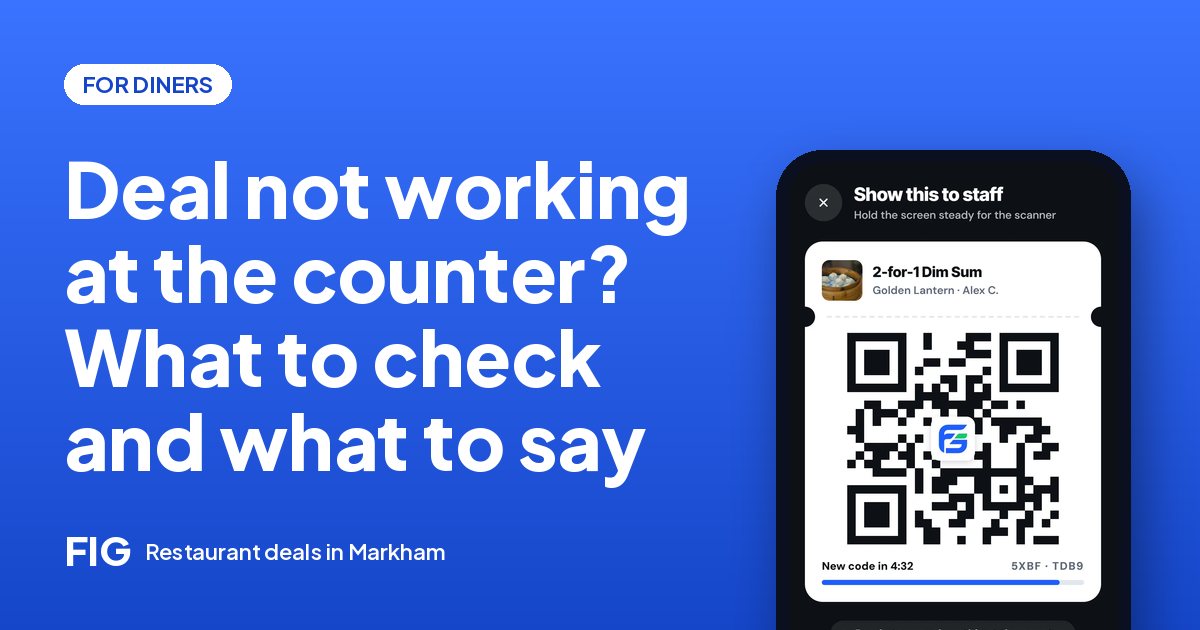
- Open your Deals page and tap Show QR yourself. Staff can scan it, or type the short code if a camera will not read the screen.
- If the restaurant uses a counter code, tap Scan the counter on your claimed deal and point your camera at their screen.
- Check the deal's days, hours, dishes and dine-in or takeout setting before you go. The restaurant sets all of them.
- Stay friendly. The person at the counter wants to apply your deal, and a calm question gets the fastest answer.
The short answer
If a FIG deal will not apply at the counter, check three things in this order: that you are showing the live code from your Deals page (not a screenshot), that the deal is running right now on those days and hours for those dishes, and that it has not reached its daily cap. If the code still will not scan, staff can type the short code, or you can scan the restaurant's own counter code if it has one.
This guide goes through what to check before you leave, what to try at the till, and how to ask in a way that gets a quick, kind answer. Deals start in Markham on January 1, 2027, and the web app works today in a browser.
Before you leave: a 30-second check
Most problems are easier to fix on your couch than at a busy till. Before you head out:
- Open the deal. Read the days and hours. Many deals run only in quiet hours, such as weekday afternoons and early evenings.
- Check the dishes. Some deals cover the whole order. Others cover specific dishes from the restaurant's menu.
- Check dine in or takeout. A dine-in deal is for eating at the restaurant. A deal that also allows takeout is ordered in the app.
- Look at your Deals page. Your claim should be there, with the deal's name. If it says Expired, the deal ended.
- Charge your phone and turn the screen brightness up. A dim screen is the most common reason a camera cannot read a code.
A claim has no time limit of its own. It works for as long as the deal runs, so you can claim at home and go when it suits you. How a deal works, from claim to counter.
The code will not scan
Staff scan your code with the restaurant side of FIG on a phone, tablet or computer. If it does not work the first time, try these in order:
- Show the live code. Open your Deals page and tap Show QR. The code keeps changing, so a screenshot or a photo of the code will not scan. Only the live code in your own app works.
- Raise the brightness and hold the phone steady, close to the scanner but not touching it. Take off a glare-heavy screen protector if you can.
- Let them try again. A scanner that is moving, or a lens with a fingerprint on it, often fails once and works the second time.
- Offer the short code. If a camera will not cooperate, there is a short code that staff can type in instead. Ask if they would like to try that.
None of these steps needs you to be the expert. The staff member at the counter can try the same things, and a restaurant that has trained its team will know what to do. What restaurants are taught.
The restaurant uses a counter code
Some restaurants show their own code on a screen at the counter, and it changes all the time. You scan it yourself, so the staff member does not have to do anything.
- Open your Deals page and find the claimed deal.
- Tap Scan the counter.
- Point your camera at the restaurant's code, and hold steady until it confirms.
If you cannot see a counter code, ask. Many restaurants use staff scanning at the till and the counter code at the table, so the one that works may depend on where you are standing.
What you see, why it happens, and what to do
| What you see | Likely reason | What to try |
|---|---|---|
| The camera will not read your code | Dim screen, glare or a screenshot | Show the live QR from your Deals page, raise the brightness, or ask staff to type the short code |
| Your counter scan does nothing | You are not on the claimed deal, or the code on their screen is out of view | Tap Scan the counter on the claimed deal, and make sure the restaurant's whole code is in the frame |
| Staff say the deal is not running | You are outside its days or hours | Read the deal's days and hours together. Come back in the window, or ask whether the restaurant is willing to honour it as a courtesy |
| The deal shows as Expired | The restaurant ended it, or a flash or dated deal is over | Look for another live deal nearby. Expired claims never count against you |
| The deal has run out for the day | The restaurant's daily cap was reached | Try earlier next time. Popular deals can run out |
| The dish you want is not covered | The deal is on specific dishes | Check the menu on the restaurant's page, or order the covered dish |
One thing to know: a courtesy is the restaurant's decision. The app tells staff what the deal is, but the owner decides what to do in a gray area, and the answer can reasonably be no.
Check your bill
A deal should be visible on the receipt. In Ontario, HST (13%) is worked out on the price after the restaurant's own discount, the same way a store coupon lowers the price before tax. So a deal also lowers your tax. This is general information, not tax advice.
- $18.00 − $4.00 = $14.00.
- HST at 13% of $14.00 = $1.82.
- You should pay $15.82 for the dish.
- Without the deal it would be $18.00 + $2.34 = $20.34.
These are round example prices. If your total is closer to $20.34 than $15.82, ask kindly to look at the line. A cleared mistake takes a minute at the till and much longer to fix later.
Takeout and pickup problems
If you ordered takeout with a deal, the deal is already applied in the app, so there is nothing to scan for it. What you need is your pickup code. A few things that help:
- Tap I'm here when you arrive. It tells the restaurant you are outside, and it keeps the order from counting as missed.
- Show your pickup code so staff can scan it.
- Check the bag against your order before you leave. Allergies and changes are worth confirming with a quick call. How takeout with a deal works.
- If you will be late, still tap I'm here when you reach the door. An order that is not picked up closes as Not picked up two hours after the pickup time, and restaurants can see a diner's missed pickups.
- Need to change something? Call the restaurant. They can also tell you if they are waiting on you.
What to say at the counter
Staff are juggling a line, a kitchen and a till, and a short, friendly sentence helps them help you. Some examples you can copy and change:
- "I claimed the 2-for-1 on FIG. Should I show the code or scan yours?"
- "The camera is not reading my screen. Could you try the short code?"
- "Is this deal on all the dishes, or only on the noodles?"
- "I think the deal is for weekday afternoons. Is today one of those?"
If the answer is no, thank them anyway. Next time, you will know what to look for, and the next person in line will have a better afternoon.
Still stuck? Two ways to follow up
You can message the restaurant from the app, or contact FIG through the contact page. When you write, say which deal it was, the day and the time, and what you saw on your screen. A short, factual message helps the restaurant fix its own settings if a deal was posted with the wrong hours.
After a scanned visit you can rate it. Only diners whose visit was scanned can review, so a rating describes a real visit. Rate the food and the visit, and mention the deal if it was handled well. How reviews work on FIG.
Questions
Why will my FIG QR code not scan?
Usually a dim screen, glare or a screenshot. Open your Deals page, tap Show QR, raise the brightness and hold the phone steady. If it still fails, staff can type the short code.
Can I use a screenshot of my code?
No. The code keeps changing, so only the live code in your own app can be scanned.
What is the counter code?
Some restaurants show their own code on a screen at the counter, and it keeps changing. Tap Scan the counter on your claimed deal and point your camera at it.
Why did the restaurant say my deal is not running?
Each deal has its own days, hours and dishes, set by the restaurant. Check them in the app, and remember a daily cap can end a deal for the day.
Does an expired claim count against me?
No. An expired claim shows as Expired on your Deals page for a day and leaves the list. It never counts against you.
What happens if I miss a takeout pickup?
An order that is not picked up closes as Not picked up two hours after the pickup time, and restaurants can see missed pickups. Tapping I'm here when you arrive keeps it from counting as missed.
Can I message a restaurant about a deal?
Yes. You can message the restaurant from the app. Say which deal, the day and what you saw.