How can we help?
Short answers to the questions people ask most. Still stuck? A real person replies within 24 hours.
No match. Message us and a real person replies within 24 hours.
Eating out with FIG
Claiming, codes, paying and takeout.
Is FIG free?
Yes, completely. Deals are free to claim and use.
How do I use a deal?
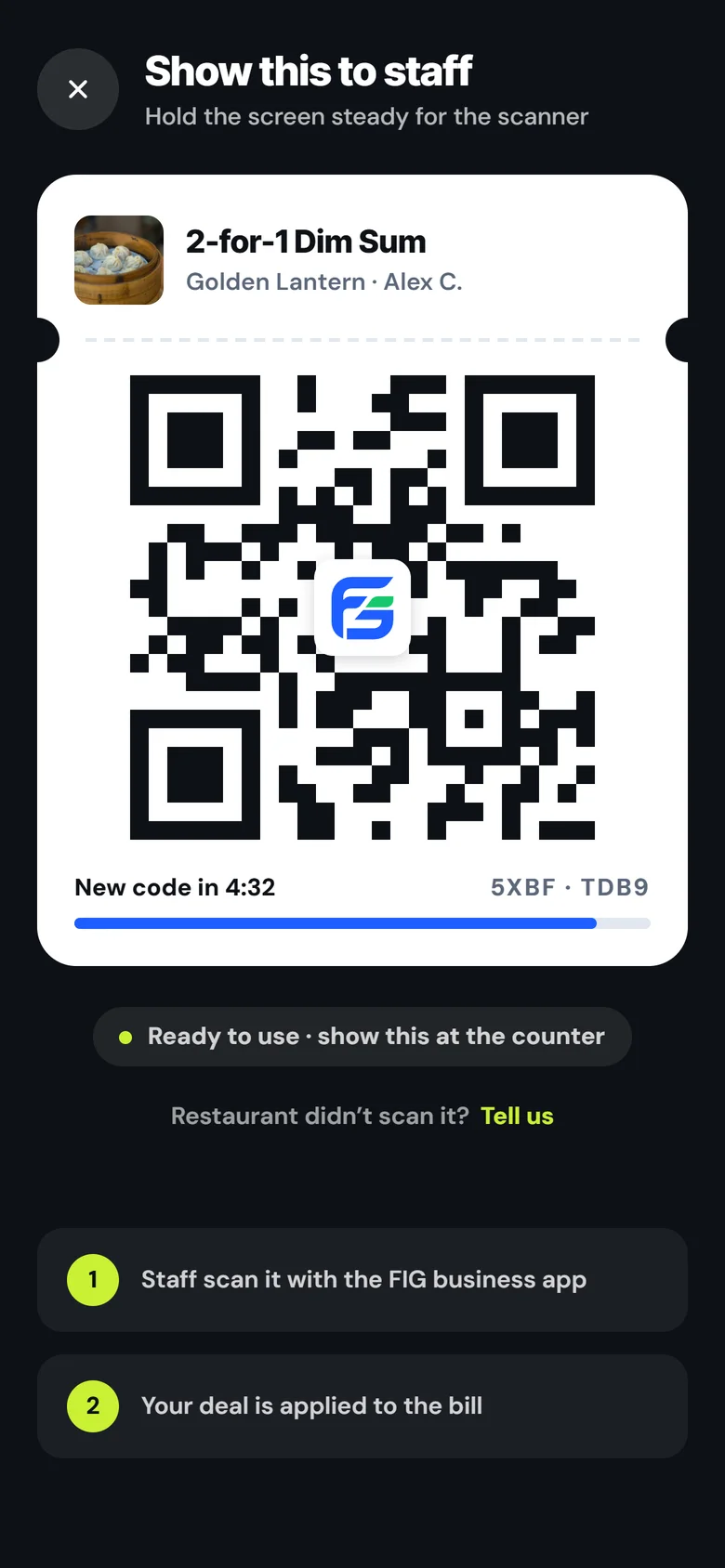
Claim it in the app. It waits on your Deals page for as long as the deal runs. Show the QR code at the counter when you order, and staff scan it or type the 8 characters under it.
Can someone use my screenshot?
No. Your code changes every 5 minutes, so only the live code on your phone works.
What do I pay?
Just your bill, like normal, with the deal taken off. Some restaurants let you pay for takeout in the app; that money goes to the restaurant. FIG never charges diners anything.
How do reviews work?
Only diners whose visit was scanned can review, so every review comes from a real visit. Rate a visit right after it, or later from Past visits on your Deals page.
Do restaurants see my phone number?
Never. Takeout orders go through the app and your number stays private.
Can I order takeout?
Yes. Tap Takeout on a deal that allows it, add what you want, watch it get made, and pick it up. Some restaurants also take takeout at full price: tap Order takeout on their page. FIG doesn't deliver.
What if a restaurant won't honour a deal?
Report the visit in the app. A real person looks at every report and replies within 24 hours.
Running deals on FIG
Cost, scanning, deals and takeout.
What does FIG cost?
One plan for all your restaurants: $29.99 a month or $299.99 a year from the day FIG opens to diners, before tax, for your pages, deals, scans and insights, with no commission on dine-in. Before launch, founding restaurants lock in less: $9.99 a month for the first 12 months, or $59.99 for the first year, paid now as a deposit (refundable within 14 days, or in full if FIG hasn't opened to diners by March 1, 2027 and your plan hasn't started). On takeout orders diners pay for in the app, FIG also keeps 5% of the food (before tax), and Stripe's card fee (2.9% + $0.30 for most Canadian cards) comes off the same payment. Stripe pays the rest out to your bank on its usual schedule, often a few business days.
Do I need new equipment?
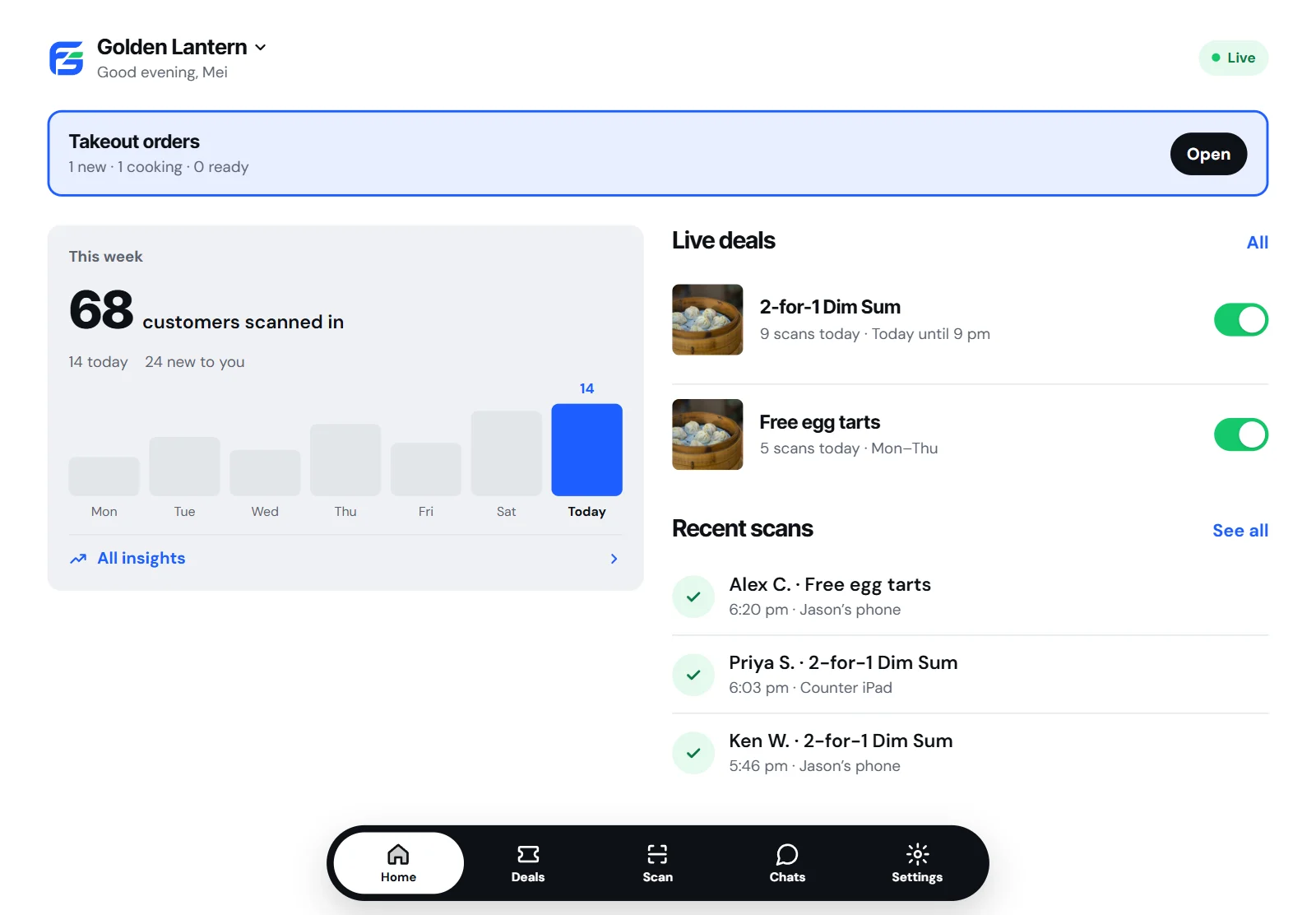
No. Any phone, tablet or computer can scan: open FIG on the web (the iPhone and Android apps are coming soon). Invite your staff in Settings: they scan with their own FIG sign-in.
What if a code won't scan?
Tap Enter code and type the 8 characters under the diner's QR. It runs the same check as a scan.
How do I post a deal?
In the app, open Deals and tap New deal. Pick the dishes (or the whole order, for dine-in), the offer, the days and hours, and check it the way diners will see it. You can pause it anytime, or post an ended deal again in one tap.
When does my page go live?
Setting up is free: photos, address, hours and cuisine. Your page and deals go live when your plan does (a founding deposit before FIG opens to diners). FIG plans to open to diners on January 1, 2027. An HST number and bank details only matter for takeout paid in the app, and you can add them later.
Can diners order takeout?
Yes. Add your menu: first the sections, then the dishes in each. Turn on takeout and pick how many deals one order can use: 1, 2, 3, more or no limit, or 0 to take orders at full price. You scan their pickup code when they collect. The diner's card is charged when you accept the order; decline it and nothing is charged.
Can I refund an order?
Yes, owners and managers can: open the order and tap Refund, for all of it or part. FIG gives back its fee in proportion; Stripe keeps its card fee.
What if a scan looks wrong?
Message us from Help within 14 days. We review it, and if it was a mistake we remove it.
Can I pause takeout in a rush?
Yes. Tap Takeout: On on your dashboard or Orders to pause new orders for 20 or 40 minutes or until tomorrow's opening, or to add prep time. Orders already in aren't touched, and it comes back on by itself.
How do I stop?
Cancel in Settings: that stops the renewal, and you keep full access until the end of the month or year you've paid. Within 14 days of your first payment you can get a full refund instead. You can also pause your deals, or close your account in Settings.
Still stuck?
Message us and a real person replies within 24 hours. Or watch the quick tutorial videos for diners and restaurants.