Key takeaways
- Staff need to know two ways a deal gets applied: scan the diner's code, or the diner scans your counter code.
- The diner's code keeps changing and the counter code changes every 30 seconds, so screenshots do not work.
- Each claim is used once. A daily cap stops the deal on its own, so staff do not have to count.
- Put the deal on a card by the till: what it covers, which days and hours, dine-in or takeout.
- Decide in advance what staff do when a scan fails, and tell them they can ask you instead of arguing at the counter.
The short answer
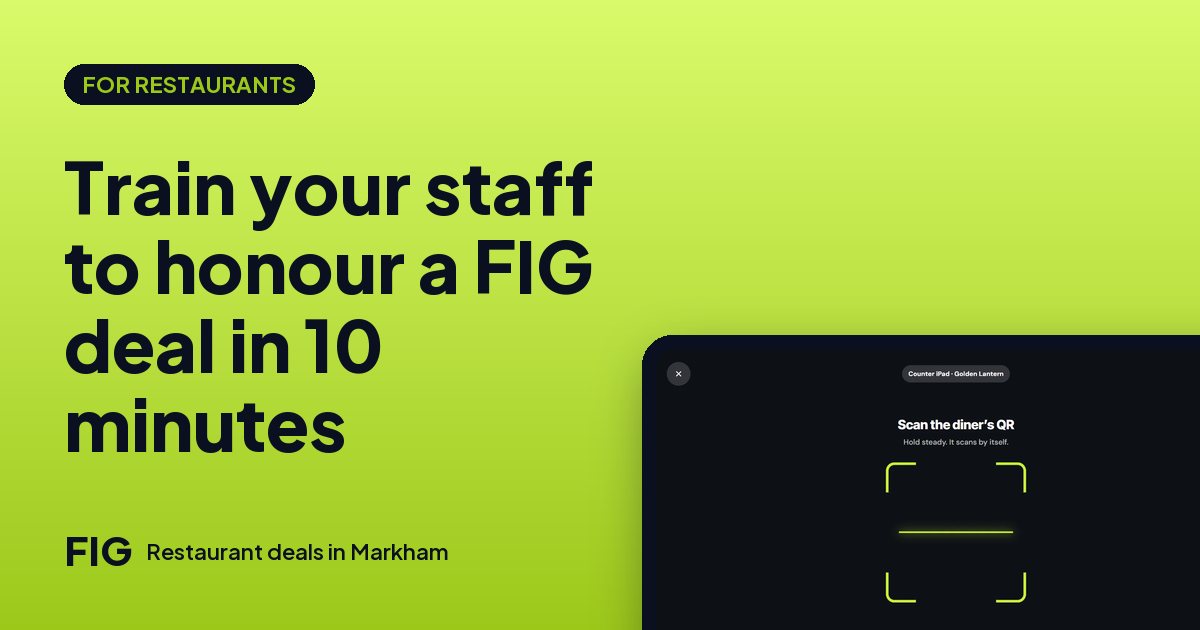
Staff need to know four things: what the deal is, how to scan it, what to do when it does not scan, and who to ask. That fits in ten minutes. Scanning on FIG works in two ways: staff scan the diner's code with the restaurant side of FIG on any phone, tablet or computer, or the diner scans your counter code on your screen. Either way the deal comes off the bill, and the diner pays you as usual. There's no fee per scan or per diner.
Why training matters more than the deal
A diner who claimed a deal and then waits while three staff members debate it will not be back, however good the deal was. A short routine fixes that. It also protects you: when everyone applies the deal the same way, you can trust the numbers in your insights, which show views, claims, the diners who came in and the ones who came back.
The ten-minute plan
| Minutes | What to cover | Who does it |
|---|---|---|
| 0 to 2 | What today's deals are, in one sentence each, with days and hours | You, reading from the deal card |
| 2 to 5 | Scan the diner's code with the restaurant side of FIG, step by step | You, then each person tries once |
| 5 to 7 | The counter code: what it is and how to point diners to it | You, at the till |
| 7 to 9 | When something looks off and what to say | Role-play two cases |
| 9 to 10 | Who to ask, and where the cheat sheet lives | You |
Run it at the start of a shift, before the doors open, and again for anyone new. Put the same card by every till.
Way 1: staff scan the diner's code
- The diner orders as usual. When it is time to pay, they open their Deals page and tap Show QR.
- A staff member opens the restaurant side of FIG on a phone, tablet or computer and scans the code on the diner's screen.
- The deal comes off the bill. The diner pays you the way they always do: card, cash or whatever you take.
If a camera will not read the screen, there is a short code staff can type instead. Teach that too, so a dirty lens never stops a sale. The code on the diner's screen keeps changing, so a screenshot or a photo sent by a friend will not work. Each diner claims and shows their own.
Way 2: the diner scans your counter code
In Settings you can turn on a counter code. Your screen shows a code that changes every 30 seconds. The diner opens their claimed deal, taps Scan the counter and points their camera at it. Staff do not need to do anything with a scan, which suits busy tills and tables where the server is not near the device.
Two things for staff to remember: the screen showing the code should be where diners can see it without asking, and it should be on and awake. A sign beside it, such as "Scan here to use your FIG deal", saves questions. You can use both ways. Many restaurants use staff scanning at the till and the counter code at the table.
What staff should check
Before applying any deal, the person at the counter should be able to answer these without looking anything up. Put the answers on the card:
- What it covers. The whole order, or specific dishes from your menu?
- When it runs. Which days and hours? A deal for weekday afternoons does not apply on Saturday night.
- Dine in or takeout. Dine-in deals are for eating in. Takeout is paid in the app, and a takeout order arrives with its deal already applied.
- The cap. It stops the deal on its own once it has been used that many times today. Staff do not need to count.
- One use per claim. A scanned claim is used. The diner can claim again only if the deal allows it.
When something looks off
Settle the answers before the rush, so nobody invents them at the counter. These are suggestions to adapt, since your policy is yours:
| What happens | A calm way to handle it |
|---|---|
| The code will not scan | Try again, then type the short code. If it still fails, ask the manager. |
| The diner shows a screenshot | Kindly ask them to open their Deals page and tap Show QR. The live code is the one that works. |
| The deal is outside its hours | Explain the days and hours. You can still honour it as a courtesy if you choose. That is your decision, not the app's. |
| The deal has ended or hit its cap | Say so politely and mention what else is on today. A flash deal ends with its timer. |
| The diner asks about a dish the deal does not cover | Point to the card. The deal covers what it says; other items are full price. |
Give staff permission to ask you. A short pause is better than a wrong call in either direction.
Tax and the bill
In Ontario, HST is worked out on what the diner pays after your own discount, the same way a store coupon lowers the price before tax. Your till should charge tax on the discounted amount. This is general information, not tax advice, so check with your accountant if you are unsure how your till handles a discount. How tax works on each deal type.
- Bowl $12.00 − $3.00 = $9.00.
- HST at 13%: $1.17.
- Diner pays $10.17.
Staff tip: if the till total does not match what the diner expects, show them the line. A clear receipt prevents most disputes.
Be kind about privacy
Restaurants never see a diner's phone number. On orders and reviews, you see their first name and last initial. Tell staff not to ask for contact details to apply a deal; the scan is all that is needed.
Your one-page cheat sheet
- Today's deals, with days, hours and dishes.
- Scan the diner's code with the restaurant side of FIG, or point them to the counter code.
- If the camera fails, type the short code.
- A screenshot will not scan: ask for the live code on their Deals page.
- If anything looks off, ask the manager. Do not argue at the counter.
- Afterwards, tell the diner they can rate the visit. Only scanned visits can be reviewed.
Print it, laminate it and tape it by each till. When you change a deal, change the card the same day. Setting up your menu, deals and scanning covers the first-time setup.
Questions
How do staff apply a FIG deal?
They scan the diner's code with the restaurant side of FIG on any phone, tablet or computer, or the diner scans the restaurant's counter code on its screen. The deal comes off the bill.
What if the camera cannot scan the code?
There is a short code staff can type instead.
Can a diner use a screenshot of their code?
No. The code keeps changing, so only the live code in the diner's app can be scanned.
How often does the counter code change?
Every 30 seconds.
Does it cost anything to scan diners?
No. There's no fee per scan or per diner; scanning is part of your plan.
Do staff need to count how many times a deal was used?
No. The daily cap you set stops the deal automatically once it has been used that many times.
Do restaurants see diners' phone numbers?
No. On orders and reviews you see a first name and last initial.